
If you’ve ever traveled in Japan, you know how much smoother things go once you have a stable internet connection. Google Maps saves you from getting lost in Shinjuku Station, translation apps help order ramen, and you can share concert clips in real time. Public Wi-Fi exists, but it’s inconsistent. Some cafés or train stations offer it, but login screens and time limits make it more frustrating than useful. If you rely on your phone for maps, translation, or ticket access, I recommend getting your own connection.
The options are plenty; SIM cards, eSIMs, and pocket Wi-Fi rentals. Here’s what actually works, what doesn’t, and what I’d recommend based on real experience.
Table of Contents
Option 1: Mobal SIM / eSIM — Simple and Reliable
If you like things that “just work,” the Mobal SIM or eSIM is a great starting point. It’s designed for travelers and is easy to set up — I’ve used it on multiple trips, and it’s consistently dependable, especially if you need to open a ticket site accounts that requires a Japanese phone number.
What I Liked
- Instant activation: The eSIM version installs before you land (for those without phone number); physical SIMs and eSIMs with phone number can be shipped or picked up in Japan.
- Competitive pricing: Cost-performance is great IMHO.
- Great coverage: Works across major cities and most regional areas without issue.
- Clear instructions: Everything is in English, with support if you get stuck.
What Could Be Better
- Some important information with regard to billing and usage is a little hidden, in the FAQ section.
- Activating the eSIM takes a few hours so you need to install it well ahead of when you start needing access.
Best for: People who need a Japanese phone number for ticket purchases (within Japan), solo travelers (you can activate a hotspot though), short trips, or anyone who wants to get the SIM with a real Japanese phone number.
Option 2: Ninja WiFi — Reliable for Groups or Heavy Users
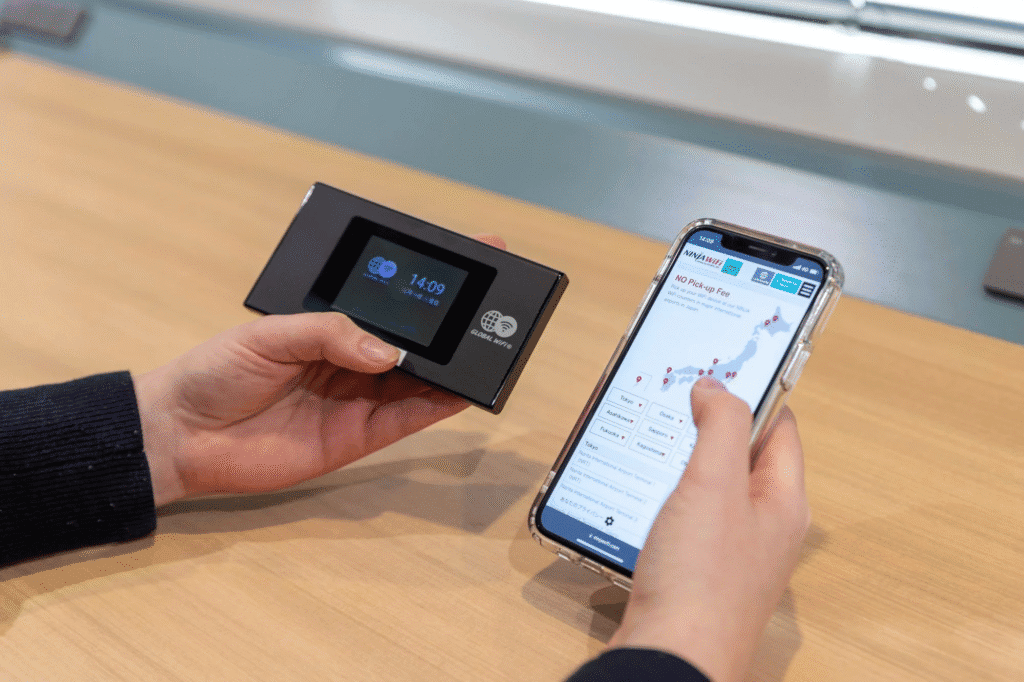
Ninja WiFi has been a go-to for visitors to Japan for years. It’s a pocket-sized router that connects multiple devices; basically as if you had a private WiFi router with you at all times! For an exclusive 20% OFF for Japan Concert Tickets Readers, click here.
What Works Well
- Strong coverage: Reliable signal almost everywhere, even on Shinkansen routes (connects to Softbank network).
- Group-friendly: You can connect several phones, tablets, or laptops at once. No need to turn on a hotspot on your phone.
- Flexible pickup/return: Available at airports (more pickup locations than any other Pocket WiFi provider) or delivered to hotels.
- Great support: available 365 days a year if there is any question or issue.
Things to Keep in Mind
- You need to return it before flying home — easy, but one more thing to remember.
- Battery life: Around 7–8 hours in real use, so a power bank helps.
Best for: Groups, families, or travelers with multiple devices who don’t mind handling a rental.
Go to Ninja WiFi (20% OFF with this link)
Option 3: Mobal WiFi Stick — A New All-Rounder
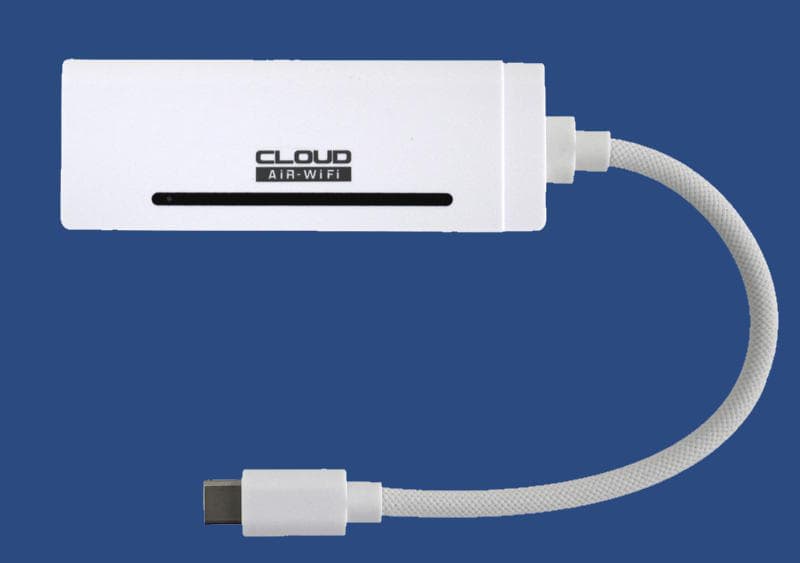
Mobal recently released a WiFi Stick which has some great advantages over a traditional pocket WiFi that make it worth mentioning.
What It Does Well
- Super light: pocket WiFis tend to be heavy and bulky, but this is the opposite (only 32 grams).
- Large data plans: Options up to 300 GB per month, which covers even heavy streaming and uploading.
- Amazing coverage: it can connect to all the major networks which improves coverage: Softbank, Docomo, AU, and Rakuten.
- No return necessary: Since it’s not a rental, you keep the device useful if you travel to Japan more than once.
- Muti-device-ready: you can connect up to 8 devices to it.
Downsides
- No own energy source: a pro that might also be a con; you need to connect the Wifi stick to your device or a powerbank.
Best for: Digital nomads, frequent visitors, or anyone who wants high data without dealing with rental returns.
Whichever route you choose, you’ll have reliable coverage almost anywhere – from concert halls in Tokyo to mountain trains in Hokkaido!
